代码CSS
/* 弹窗 */
#tutorial-popup {
  position: fixed; inset: 0;
  background: rgba(0,0,0,.6);
  display: flex; justify-content: center; align-items: center;
  z-index: 99999;
}
.tutorial-popup-content {
  background: #fff; padding: 20px 30px; border-radius: 12px;
  max-width: 400px; text-align: center;
  box-shadow: 0 0 20px rgba(0,0,0,.3);
}
.tutorial-popup-btns { margin-top: 15px; display: flex; justify-content: space-around; }
.tutorial-popup-btns button {
  background:#4c8bf5; color:#fff; padding:8px 20px; border:0; border-radius:6px; cursor:pointer; font-size:14px;
}
.tutorial-popup-btns button:hover { background:#2a6de0; }
.tutorial-popup-btns button:last-child { background:#aaa; }
.tutorial-popup-btns button:last-child:hover { background:#888; }

/* 视频播放器 */
#tutorial-video-player {
  position: fixed; inset: 0;
  background: rgba(0,0,0,.75);
  display: flex; justify-content: center; align-items: center;
  z-index: 100000;
}
.tutorial-video-inner {
  position: relative; width: 90%; max-width: 800px;
  background: #000; border-radius: 12px; overflow: hidden;
}
.tutorial-video-inner video { width: 100%; height: auto; display: block; }
#close-video-player {
  position: absolute; top:8px; right:8px;
  background: rgba(0,0,0,.6); color:#fff; border:0;
  font-size:18px; padding:6px 10px; border-radius:50%; cursor:pointer;
}
#close-video-player:hover { background: rgba(0,0,0,.9); }
代码JS
// /javascripts/discourse/initializers/post-tutorial.js
import { apiInitializer } from "discourse/lib/api";

export default apiInitializer("1.32.0", (api) => {
  // ====== 丢视频的 ======
  const VIDEO_URL =
    "https://www.justnainai.com/uploads/default/original/3X/9/8/9802330230450bf8c5f52bfe0381319f981fd474.mp4";
  //“修改下面的V3改成V4就会重新让用户弹出”
  const STORAGE_KEY = "znn_post_tutorial_v3";
  // ========================

  let bypassOnce = false;
  let overlay, videoModal;

  function hasSeen() {
    try {
      return localStorage.getItem(STORAGE_KEY) === "1";
    } catch (e) {
      return false;
    }
  }

  function markSeen() {
    try {
      localStorage.setItem(STORAGE_KEY, "1");
    } catch (e) {}
  }

  function openComposer() {
    const btn = document.querySelector("#create-topic, button#create-topic");
    if (!btn) return;
    bypassOnce = true;
    btn.click();
    requestAnimationFrame(() => (bypassOnce = false));
  }

  function ensureBaseStyles() {
    if (document.getElementById("znn-tutorial-style")) return;
    const style = document.createElement("style");
    style.id = "znn-tutorial-style";
    style.textContent = `
      .znn-mask {
        position: fixed; inset: 0; background: rgba(0,0,0,.45);
        display: flex; align-items: center; justify-content: center;
        z-index: 9999;
      }
      .znn-card {
        width: min(560px, 92vw);
        background: var(--secondary, #1e1e1e);
        color: var(--primary, #fff);
        border-radius: 16px;
        box-shadow: 0 10px 30px rgba(0,0,0,.35);
        padding: 20px 20px 16px;
        border: 1px solid var(--primary-low, rgba(255,255,255,.1));
      }
      .znn-card h3 { margin: 0 0 10px; font-size: 20px; }
      .znn-card p { margin: 0 0 16px; line-height: 1.6; color: var(--primary-medium,#ccc);}
      .znn-actions { display: flex; gap: 10px; justify-content: flex-end; }
      .znn-btn {
        appearance: none; border: 0; padding: 10px 14px; border-radius: 10px;
        cursor: pointer; font-weight: 600;
      }
      .znn-btn-primary { background: var(--tertiary, #74a8ff); color: #000; }
      .znn-btn-ghost { background: transparent; color: var(--primary,#fff); }
      .znn-modal {
        position: fixed; inset: 0; z-index: 10000;
        display: flex; align-items: center; justify-content: center;
        background: rgba(0,0,0,.55);
      }
      .znn-modal-inner {
        width: min(860px, 94vw);
        background: #000; border-radius: 14px; overflow: hidden;
        box-shadow: 0 12px 36px rgba(0,0,0,.5);
        position: relative;
      }
      .znn-modal video { width: 100%; height: auto; display: block; }
      .znn-modal-close {
        position: absolute; top: 8px; right: 10px;
        background: rgba(255,255,255,.12);
        border: 0; color: #fff; border-radius: 8px; padding: 6px 10px;
        cursor: pointer; font-weight: 600;
      }
      .znn-modal-footer {
        display: flex; justify-content: space-between; align-items: center;
        padding: 10px 12px; background: #0b0b0b; border-top: 1px solid rgba(255,255,255,.08);
      }
      .znn-modal-footer .left { color: #bbb; font-size: 13px; }
    `;
    document.head.appendChild(style);
  }

  function showPrompt() {
    ensureBaseStyles();
    if (overlay) overlay.remove();

    overlay = document.createElement("div");
    overlay.className = "znn-mask";
    overlay.innerHTML = `
      <div class="znn-card" role="dialog" aria-modal="true">
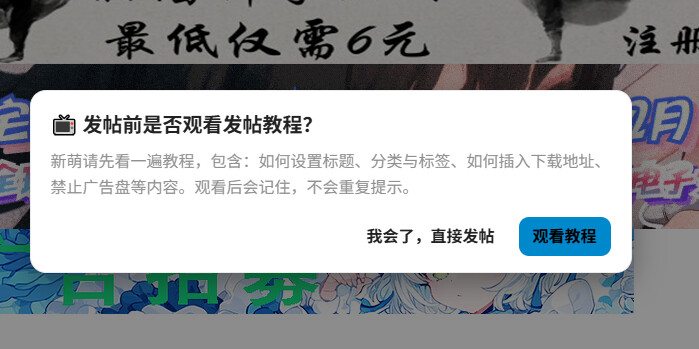
        <h3>📺 发帖前是否观看发帖教程?</h3>
        <p>新萌请先看一遍教程,包含:如何设置标题、分类与标签、如何插入下载地址、禁止广告盘等内容。观看后会记住,不会重复提示。</p>
        <div class="znn-actions">
          <button class="znn-btn znn-btn-ghost" id="znn-skip">我会了,直接发帖</button>
          <button class="znn-btn znn-btn-primary" id="znn-watch">观看教程</button>
        </div>
      </div>
    `;
    document.body.appendChild(overlay);

    overlay.querySelector("#znn-skip").addEventListener("click", () => {
      overlay.remove();
      openComposer();
    });

    overlay.querySelector("#znn-watch").addEventListener("click", () => {
      overlay.remove();
      showVideo();
    });
  }

  function showVideo() {
    ensureBaseStyles();
    if (videoModal) videoModal.remove();

    videoModal = document.createElement("div");
    videoModal.className = "znn-modal";
    videoModal.innerHTML = `
      <div class="znn-modal-inner">
        <button class="znn-modal-close" id="znn-close">关闭</button>
        <video id="znn-video" src="${VIDEO_URL}" controls playsinline webkit-playsinline autoplay></video>
        <div class="znn-modal-footer">
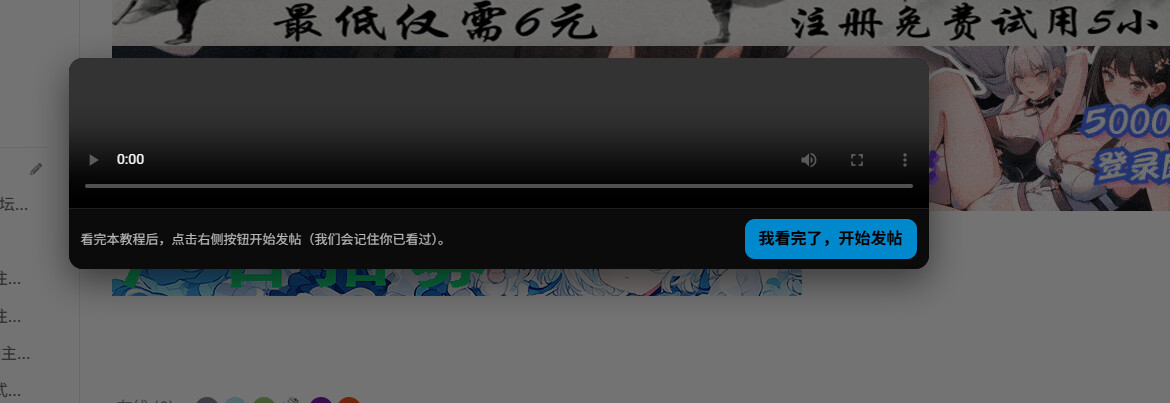
          <div class="left">看完本教程后,点击右侧按钮开始发帖(我们会记住你已看过)。</div>
          <div class="right">
            <button class="znn-btn znn-btn-primary" id="znn-done">我看完了,开始发帖</button>
          </div>
        </div>
      </div>
    `;
    document.body.appendChild(videoModal);

    const close = () => {
      videoModal.remove();
    };

    videoModal.querySelector("#znn-close").addEventListener("click", () => {
      // 只是关闭不标记已看
      close();
    });

    videoModal.querySelector("#znn-done").addEventListener("click", () => {
      markSeen();
      close();
      openComposer();
    });

    // 播放到一定时长后自动标记
    const v = videoModal.querySelector("#znn-video");
    let marked = false;
    v.addEventListener("timeupdate", () => {
      if (!marked && v.currentTime >= 10) {
        // 播放 >=10s
        markSeen();
        marked = true;
      }
    });
  }

  // 按钮
  function onGlobalClick(e) {
    // bypass
    if (bypassOnce) return;

    const target = e.target.closest("#create-topic, button#create-topic");
    if (!target) return;

    // 放行
    if (hasSeen()) return;

    // 拦截
    e.preventDefault();
    e.stopPropagation();
    showPrompt();
  }

  // 全局监听
  api.onPageChange(() => {
    if (!window.__znn_post_tutorial_bound) {
      document.addEventListener("click", onGlobalClick, true); // capture 阶段更稳
      window.__znn_post_tutorial_bound = true;
    }
  });
});